
Why Should Mold Drawings Be Provided in CAD Format?
Why Should Mold Drawings Be Provided in CAD Format?
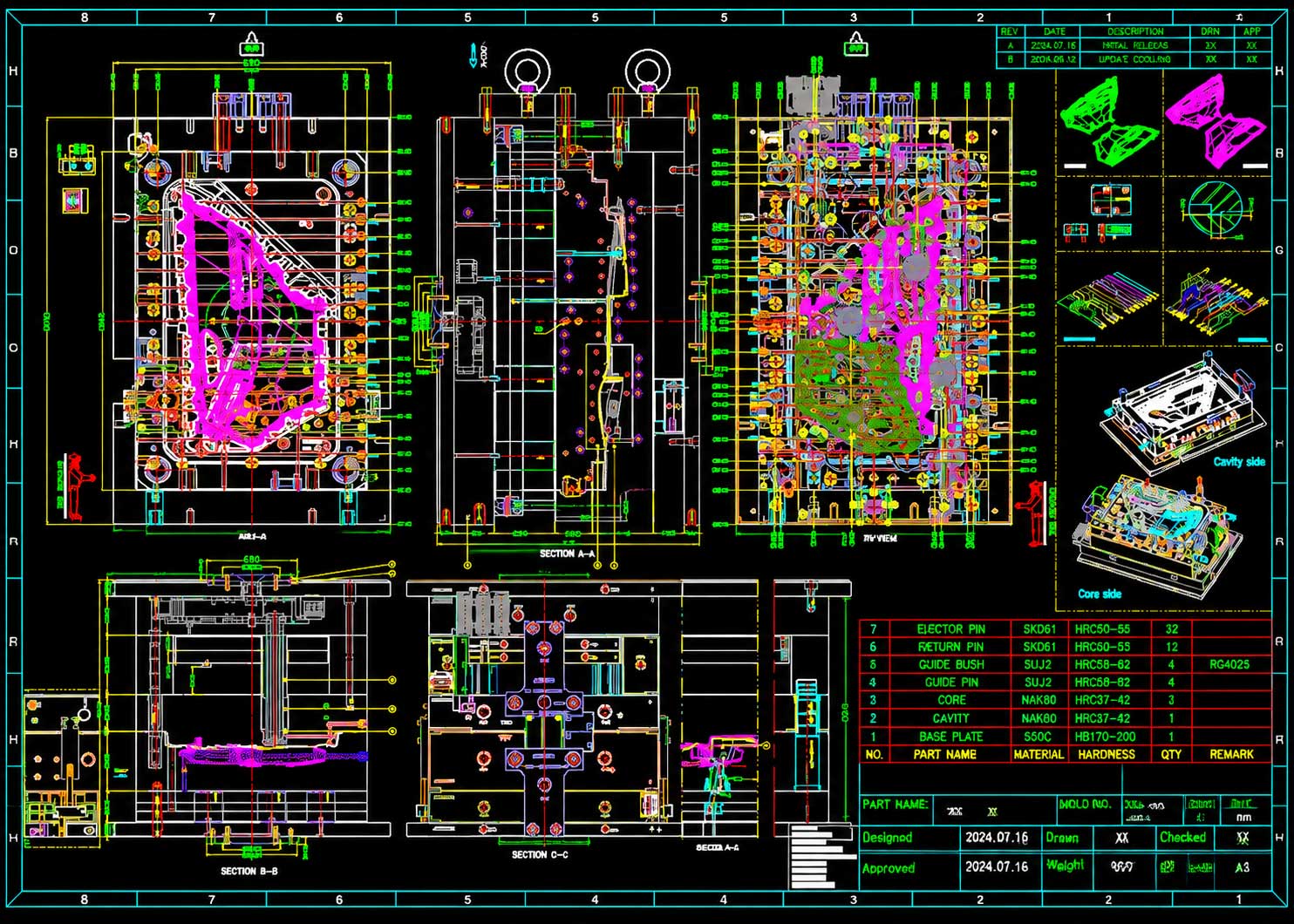
In mold procurement and manufacturing, drawings are the technical language through which both parties communicate. In the past, this language was written on paper; today, it exists almost exclusively in one form—CAD drawings. Many people understand this as simply "moving paper drawings onto a computer," but if that were all it amounted to, the value of CAD drawings would be greatly underestimated. The adoption of CAD for mold drawings is not a matter of habit, nor is it about "looking more professional." It is because the mold industry itself places demands on drawings that paper drawings simply cannot satisfy.
First, Mold Drawings Are Not Meant to Be "Viewed"—They Are Meant to Be "Used"
Product drawings are, in many cases, meant to be "viewed"—to look at the shape, check the dimensions, verify the tolerances, and confirm what the part looks like. Mold drawings are different. From the moment they are created, they are meant to be "used."
Mold design itself is completed in CAD software. Parting surfaces, cavities, cores, slides, ejector pins, and cooling channels are not drawn on paper—they are constructed in 3D models. Mold drawings are essentially 2D representations exported from 3D models, and their source is CAD data. If a mold maker were required to provide paper drawings, that would merely be printing a sheet of paper at the endpoint of CAD work—a sheet that is neither the starting point of the design nor the basis for manufacturing.
More importantly, the machining stages of mold production directly use CAD data. CNC programming, wire cutting, EDM, and slow wire cutting all take CAD model files as input, not paper drawings. Mold makers do not take printed drawings and manually program from them; they import 3D models directly into CAM software to generate toolpaths. This means that CAD drawings are a link in the mold manufacturing chain, while paper drawings are merely a screenshot of that link.
Second, Mold Drawings Need to Carry 3D Information, Which 2D Paper Cannot
A mold is not a simple revolved body or a plate-type part. It is a 3D structure composed of numerous complex surfaces, inclined planes, fillets, undercuts, and assembled inserts. The parting surface is often a spatial curve, the movement direction of a slide is angled, and cooling channels curve and weave through space. On 2D paper drawings, this information can only be approximated through multiple views, section views, and detail enlargements—and ambiguities easily arise.
A typical example is the representation of the parting surface. On a paper drawing, the parting surface might require a front view, top view, side view, and multiple section views to explain clearly. Even then, a machinist may still interpret the direction of a particular curve differently. In a CAD 3D model, the parting surface is a real spatial curve—rotate it, zoom in, section it, and it cannot be misread.
Another example is interference checking for slides and lifters. On a 2D drawing, judging whether a slide will collide with an ejector pin during retraction requires the engineer's spatial imagination. In CAD software, motion simulation can be run directly, and interference locations are immediately clear. The adoption of CAD for mold drawings is fundamentally because molds themselves are 3D, and 2D paper cannot express them.
Third, CAD Drawings Can Be Modified, Traced, and Used for Collaboration
Mold design is an iterative process. Product changes, unsatisfactory mold flow analysis results, or the discovery during trial molding that cooling needs to be added somewhere—all of these lead to modifications of the mold drawings. Once a paper drawing is modified, it must either be redrawn or marked up on the original, making version management extremely chaotic. Change the parting surface today, change the ejector pin positions tomorrow, and a week later no one can say for sure which drawing is the latest.
CAD drawings inherently support version management and modification tracing. Every modification is recorded—which version changed what, who changed it, and when. For the mold buyer, this means that when the supplier says "we made it according to the latest drawing," it can be verified which version is actually the latest. For the mold maker internally, design, machining, and quality inspection can collaborate based on the same latest data, avoiding situations where "the design was changed but machining was not notified."
In addition, CAD drawings can be easily exported in different formats to meet the needs of different stages. Export STEP or IGES for the machining department to use for programming, export 2D annotated drawings for the quality department to use for inspection, and export PDF for the buyer to archive and review. One set of data, multiple uses—something paper drawings cannot achieve.
Fourth, CAD Drawings Are the Foundation for Mold Flow Analysis and Simulation Verification
Modern mold design increasingly relies on mold flow analysis. Filling, packing, cooling, and warping—these analyses all require 3D models as input. Without CAD models, mold flow analysis cannot even begin. And the results of mold flow analysis, in turn, modify the mold design—adjusting gate positions, optimizing cooling channel layouts, and modifying wall thickness transitions. This "design—analyze—modify" cycle can only operate efficiently in a CAD environment.
For the buyer, this means that whether the supplier has CAD capabilities directly relates to whether the mold design has been verified. If the supplier only provides paper drawings, it can basically be concluded that they did not perform mold flow analysis, or that they did but did not feed the results back into the design. A CAD drawing is not just a drawing—behind it is a complete design verification process.
Fifth, CAD Drawings Reduce Communication Costs and the Probability of Errors
Mold manufacturing involves multiple stages and multiple roles: design engineers, CAM programmers, CNC operators, EDM technicians, assembly fitters, and quality inspectors. If every stage relied on paper drawings to transmit information, every transfer would be a potential misunderstanding. One misread dimension or one missed line could mean tens of thousands of yuan in losses and days of schedule delay. CAD drawings let everyone face the same set of data. Dimensions annotated by the design engineer on the 3D model are read directly by the CAM programmer; toolpaths generated by the programmer are called directly by the operator on the machine; and the quality inspector comparing measurements on a CMM directly references the CAD model. The shorter the information transfer chain, the lower the probability of error.
Sixth, CAD Drawings Are the Mold Maker's "Deliverable" and the Buyer's "Asset"
For the mold maker, CAD drawings are the direct output of design work and part of their core capability. If a mold maker can only provide paper drawings, it usually means their design methods are still at a relatively early stage. Conversely, a mold maker that can provide complete CAD data typically has stronger design capabilities and more standardized management processes.
For the buyer, obtaining CAD drawings means holding a complete set of technical assets. For subsequent mold repair, mold modification, mold duplication, or transfer of production to another supplier, this CAD data is the foundation. If only paper drawings exist, once the original mold maker becomes uncooperative, the buyer is left in a passive position. The ownership and usage rights of CAD drawings should be explicitly stipulated in the procurement contract—this is an important means for the buyer to protect themselves.
Ultimately, CAD Drawings Are Not a "Choice" but a "Necessity"
The adoption of CAD for mold drawings is not because it is "better looking" or "more advanced" than paper drawings, but because the mold industry's technical chain has become fully digitalized. Design is completed in CAD, machining starts from CAD data, analysis takes CAD models as input, and acceptance is based on CAD data. In this chain, paper drawings are merely a temporary, incomplete snapshot, while CAD drawings are the complete data that runs through it all.
For the buyer, requesting CAD drawings from the supplier is not about pursuing a particular form, but about ensuring they receive complete, accurate, and usable technical data. Paper drawings tell you "what the mold looks like"; CAD drawings let you truly "use" this mold data. The gap between the two becomes very concrete when problems arise with the mold.
